

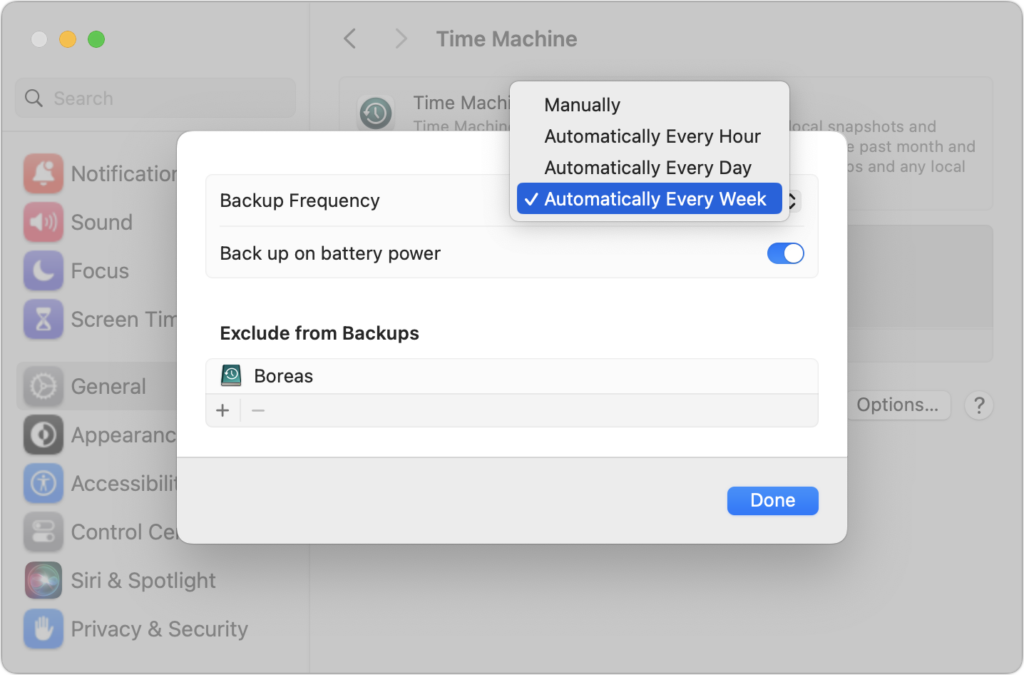
Since its inception, Time Machine has backed up on an hourly schedule. It then keeps hourly backups for the previous 24 hours, daily backups for the last month, and weekly backups back to the start of the backup. Once free space on the backup drive gets low, Time Machine deletes older backups to make room for new ones, always maintaining at least one copy of every backed-up file. The traditional hourly backups are usually fine, but starting in macOS 13 Ventura, Apple lets you choose a daily or weekly schedule instead. One of those might be useful for Macs that are turned on infrequently or where very little important data changes. It also might reduce resource usage and how much data Time Machine backs up. Most people shouldn’t need to change the backup frequency, but if you’ve always wanted to, now you can.
(Featured image based on an original by iStock.com/STILLFX)
Recent Posts

Mar. 06, 2026
How to Find and Silence the Browser Tab That’s Playing Audio

Mar. 06, 2026
Losing Messages or Calls? Look in the Unknown Senders/Callers Filter

Mar. 06, 2026
iOS 26 Can AutoFill Credit Card Details

Mar. 06, 2026
Apple Refreshes Studio Display and Introduces Studio Display XDR

Mar. 06, 2026
Apple’s Focus Is Powerful but Unpredictable

Mar. 06, 2026
Why Cloud Storage Isn’t a Backup

Mar. 06, 2026
Apple Refreshes iPhone, iPad Air, and MacBook Lineups

Mar. 06, 2026
How Does the New MacBook Neo Compare to the MacBook Air?

Mar. 03, 2026
Tech Tips: Backups That Actually Save the Day

Feb. 06, 2026
Customize Folder Colors and Icons in macOS 26 Tahoe
View All Posts