

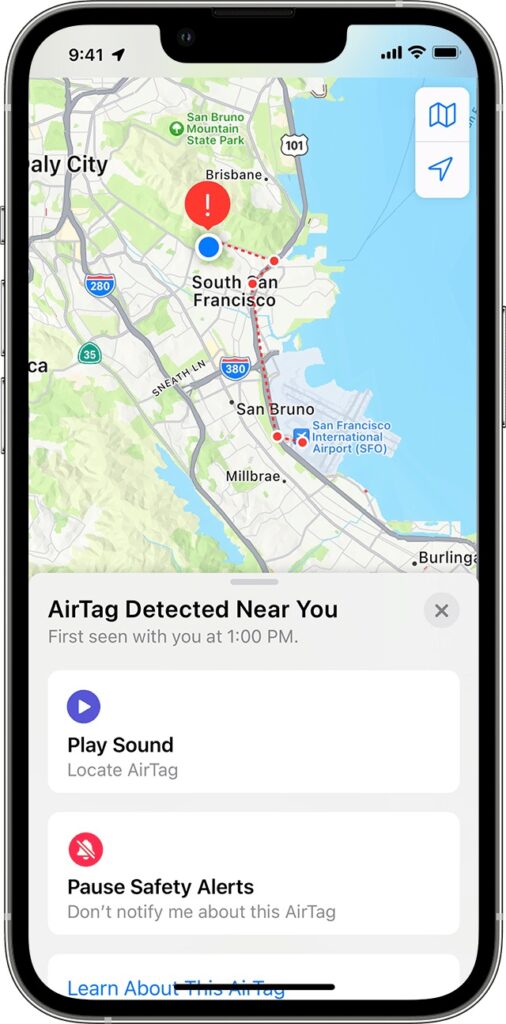
First, don’t panic. Most likely, you’re borrowing something with an Apple AirTag location tracker attached to it, or someone left something with an attached AirTag in your car. Second, tap the alert to open the Find My app, which displays a map showing where the AirTag has been with you, which might shed some light on where it started traveling with you. Third, in the Find My app, tap Play Sound to try to locate the AirTag by its audible alert. Fourth, if you find the AirTag, hold it near your iPhone until a notification appears, and tap that for more information, including the last four digits of the owner’s phone number (search for it in the Contacts app to see if it’s anyone you know). We’re being intentionally brief here—for significantly more detail, including advice on contacting local law enforcement—read Apple’s support article.
(Featured image by iStock.com/BackyardProduction)
Recent Posts

Mar. 06, 2026
How to Find and Silence the Browser Tab That’s Playing Audio

Mar. 06, 2026
Losing Messages or Calls? Look in the Unknown Senders/Callers Filter

Mar. 06, 2026
iOS 26 Can AutoFill Credit Card Details

Mar. 06, 2026
Apple Refreshes Studio Display and Introduces Studio Display XDR

Mar. 06, 2026
Apple’s Focus Is Powerful but Unpredictable

Mar. 06, 2026
Why Cloud Storage Isn’t a Backup

Mar. 06, 2026
Apple Refreshes iPhone, iPad Air, and MacBook Lineups

Mar. 06, 2026
How Does the New MacBook Neo Compare to the MacBook Air?

Mar. 03, 2026
Tech Tips: Backups That Actually Save the Day

Feb. 06, 2026
Customize Folder Colors and Icons in macOS 26 Tahoe
View All Posts